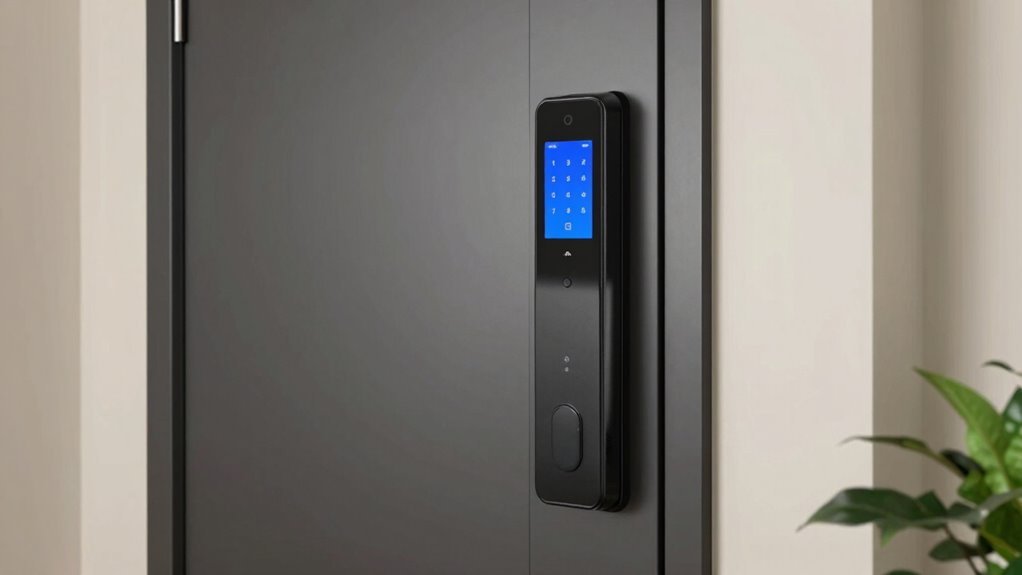
Shopping for smart locks for apartments means balancing two things renters care about most: easy, non-destructive installation and reliable keyless entry without breaking your lease. My top pick is the August Wi-Fi Smart Lock (4th Gen), because it mounts over your existing deadbolt in minutes, keeps your original key working, and shrinks the smart-home footprint to a single compact device. The ULTRALOQ Bolt Fingerprint WiFi stands out if biometric speed matters most, and the budget-friendly Wyze Auto-Lock Bolt v2 proves you don’t need to spend much for auto-locking convenience. The main tradeoffs in this category are between retrofit convenience and full-deadbolt security, and between dead-simple app experiences and feature-rich platforms like Matter. Keep reading for the full breakdown of all 12 locks.

Get the little things that make your day delivered free with Prime
- Fast, free delivery on millions of items
- Prime Video, Amazon Music and more included
- Member-only deals all year
Key Takeaways
- Retrofit models like the August 4th Gen dominated the rankings because they install over your existing deadbolt in under 15 minutes and preserve your original key — the single biggest factor for apartment dwellers.
- Fingerprint readers separated the premium picks from the budget field: ULTRALOQ and DESLOC delivered sub-second recognition, while cheaper Bluetooth-only models with fingerprint scanners were noticeably less consistent.
- Built-in Wi-Fi varied widely in reliability — the Wyze Bolt v2 and Philips deadbolt offer it at budget prices, but you typically give up smart-home standards like Matter and Apple Home support.
- The ULTRALOQ Bolt SE with Matter over Thread earned its spot for future-proofing: renters planning to build out a smart apartment get cross-platform compatibility no other budget option matches.
- Smart handles like the Lockly Secure Pro and the Bluetooth Fingerprint lock with handle deliver the most complete look, but their thicker profiles and higher prices make them better suited to house dwellers than typical apartment doors.
| Bluetooth Fingerprint Smart Lock with Handle & Keypad, Keyless Entry, Fits Most US Doors |  | Best Overall for Versatility and DIY Installation | Connectivity: Bluetooth | Unlock Methods: Fingerprint, keypad, FOB, code, app, physical key | Door Compatibility: Standard US doors, 1-3/8 in to 2-1/4 in | VIEW ON AMAZON | See Our Full Breakdown |
| Wyze Auto-Lock Bolt v2 Smart Deadbolt with Fingerprint Scanner, Keypad, and Wi-Fi |  | Best for Fast, Accurate Biometric Access and Wi-Fi Control | Brand: Wyze | Model Number: WLCKB2 | Unlock Methods: Fingerprint, app, keypad code, physical key | VIEW ON AMAZON | See Our Full Breakdown |
| ULTRALOQ Bolt SE Wi-Fi Smart Lock with Matter over Thread |  | Best for Cross-Platform Compatibility and Long-Term Durability | ASIN: B0FQC6VCDW | Access Methods: Fingerprint, passcode, app, web, eKey, voice, mechanical | Fingerprint Capacity: 50 | VIEW ON AMAZON | See Our Full Breakdown |
| ULTRALOQ Bolt Fingerprint WiFi Smart Lock with Door Sensor, Remote Access |  | Best for Apple Ecosystem Integration and Remote Monitoring | Brand: ULTRALOQ | Model Number: B0FQ5LQ6C5 | Connectivity: Wi-Fi, Bluetooth | VIEW ON AMAZON | See Our Full Breakdown |
| Philips Wi-Fi Smart Deadbolt Lock, Keyless Entry Door Lock |  | Best for Basic, Remote Wi-Fi Control in Budget-Friendly Setup | Brand: PHILIPS | Model Number: DDL242X-1HW | Connectivity: Wi-Fi 2.4GHz | VIEW ON AMAZON | See Our Full Breakdown |
| Yale Assure Lock 2 Keypad Smart Deadbolt with Wi-Fi, Black Suede |  | Best Overall for Vacation Rental Hosts | Lock Type: Deadbolt | Controller Type: Keypad | Connectivity Protocol: Wi-Fi | VIEW ON AMAZON | See Our Full Breakdown |
| Yale Assure Lock 2 Touchscreen Keypad Deadbolt with Wi-Fi, Black Suede |  | Best for High-Tech Users Who Want Touchscreen Convenience | Lock Type: Deadbolt | Controller Type: Touchscreen Keypad | Connectivity Protocol: Wi-Fi | VIEW ON AMAZON | See Our Full Breakdown |
| Yale Assure Lock 2 with Wi-Fi (YRD450-WF1-BSP) | | Best for Remote Control and Code Scheduling | Lock Type: Deadbolt | Controller Type: Wi-Fi Smart Module | Connectivity Protocol: Wi-Fi | VIEW ON AMAZON | See Our Full Breakdown |
| Lockly Secure Pro Wi-Fi Smart Lock with Handle |  | Best for Multi-Access Options and Security | Lock Type: Deadbolt with Handle | Controller Type: PIN Keypad, Fingerprint | Connectivity Protocol: Wi-Fi | VIEW ON AMAZON | See Our Full Breakdown |
| Smart Lock Ultra with Keypad, Fingerprint, App, Wi-Fi, Auto Unlock |  | Best for Ultra Compatibility and Long Battery Life | Lock Type: Keypad and Fingerprint | Connectivity Protocol: Wi-Fi | Color: Black | VIEW ON AMAZON | See Our Full Breakdown |
| DESLOC B200 Fingerprint Smart Door Lock with Keyless Entry Deadbolt |  | Best Budget Fingerprint Pick | Brand: DESLOC | Model: B200 | Type: Deadbolt Smart Lock | VIEW ON AMAZON | See Our Full Breakdown |
| Anona Holo Wi-Fi Smart Lock with Keypad |  | Best for Non-Destructive Installation | Brand: Anona | Model: SL2001+KP2001 (Holo) | Type: Retrofit Wi-Fi Deadbolt Smart Lock with Keypad | VIEW ON AMAZON | See Our Full Breakdown |
| smart locks for apartment | Weather Resistance |
|---|---|
| Bluetooth Fingerprint Smart Lo | — |
| Wyze Auto-Lock Bolt v2 Smart D | IP53 |
| ULTRALOQ Bolt SE Wi-Fi Smart L | IP65 |
| ULTRALOQ Bolt Fingerprint WiFi | IP65 |
| Philips Wi-Fi Smart Deadbolt L | — |
| Yale Assure Lock 2 Keypad Smar | IPX5 rated |
| Yale Assure Lock 2 Touchscreen | Weather-resistant |
| Yale Assure Lock 2 with Wi-Fi | Weather-resistant |
| Lockly Secure Pro Wi-Fi Smart | — |
| Smart Lock Ultra with Keypad | — |
| DESLOC B200 Fingerprint Smart | — |
| Anona Holo Wi-Fi Smart Lock wi | — |
More Details on Our Top Picks
Bluetooth Fingerprint Smart Lock with Handle & Keypad, Keyless Entry, Fits Most US Doors
This smart lock stands out for offering multiple keyless entry options, including fingerprint, keypad, and app control, making it a flexible choice compared with simpler models like the Philips Wi-Fi Smart Deadbolt, which limits users to app and key entry. Its DIY installation process is straightforward, fitting most standard US doors without drilling, which appeals to homeowners who want a quick upgrade. However, its voice control features—compatible with Alexa and Google—depend on a separate gateway, adding a layer of complexity and cost. Compared to the ULTRALOQ Bolt SE, which supports Matter over Thread for broader smart home integration, this lock’s compatibility is more limited. Still, it provides reliable auto-lock and one-touch locking for everyday convenience, making it suitable for busy apartments. Tradeoffs include limited voice integration without additional hardware and a door thickness range that might not suit all doors.
Pros:- Multiple keyless entry methods including fingerprint, keypad, app, and physical key
- Easy DIY installation fits most US doors without drilling
- Supports temporary access codes for guests and renters
- Auto-lock and one-touch lock for added convenience
Cons:- Alexa and Google voice control require a separate gateway, increasing setup complexity
- Limited to standard door thicknesses, which may not fit all doors
Best for: Renters or homeowners seeking a versatile, easy-to-install smart lock with multiple access methods
Not ideal for: Those wanting fully integrated voice control without gateways or those with non-standard door thicknesses
- Connectivity:Bluetooth
- Unlock Methods:Fingerprint, keypad, FOB, code, app, physical key
- Door Compatibility:Standard US doors, 1-3/8 in to 2-1/4 in
- Installation:DIY with screwdriver, no drilling
- Lock Features:Auto-lock, one-touch lock
- App Functions:Access history, code management, lock/unlock
- Voice Compatibility:Alexa and Google with gateway
Our verdict“This lock suits users who prioritize flexible access options and simple DIY setup for standard US apartment doors.”
Wyze Auto-Lock Bolt v2 Smart Deadbolt with Fingerprint Scanner, Keypad, and Wi-Fi
The Wyze Lock Bolt v2 excels in delivering rapid fingerprint recognition, unlocking in just 0.5 seconds, which surpasses many competitors like the Philips Wi-Fi Deadbolt, where fingerprint speed is less emphasized. Its AI self-learning fingerprint scanner improves accuracy over time, making it ideal for households with frequent users. The built-in Wi-Fi allows remote control via the Wyze app, but full remote features depend heavily on Wi-Fi stability—an important consideration for those with spotty connections. Compared to the ULTRALOQ Bolt SE, which supports Matter and broader ecosystem integration, Wyze’s focus remains on speed and ease of use at a more affordable price. Battery life extends up to 8 months, and a USB-C backup provides emergency power, making it reliable for daily use. Still, it requires AA batteries, which are less convenient than rechargeable options.
Pros:- AI self-learning fingerprint scanner unlocks in 0.5 seconds and improves over time
- Supports up to 50 fingerprint and keypad codes, plus backup physical keys
- Remote control and management via Wi-Fi and Wyze app
- Emergency power via USB-C port ensures continued access
Cons:- Requires AA batteries, which need regular replacement
- Full remote features depend on Wi-Fi stability and connection quality
Best for: Tech-savvy users who want quick biometric access combined with remote management via Wi-Fi
Not ideal for: Users seeking rechargeable batteries or those with unstable Wi-Fi connections
- Brand:Wyze
- Model Number:WLCKB2
- Unlock Methods:Fingerprint, app, keypad code, physical key
- Fingerprint Unlock Speed:0.5 seconds
- Battery Life:Up to 8 months
- Batteries Included:8 AA
- Emergency Power:USB-C port
- Weather Resistance:IP53
Our verdict“Ideal for users prioritizing fast biometric access and remote control at an affordable price point.”
ULTRALOQ Bolt SE Wi-Fi Smart Lock with Matter over Thread
The ULTRALOQ Bolt SE offers a comprehensive 7-in-1 access suite, including fingerprint, passcodes, smartphone app, web portal, eKey sharing, voice control, and mechanical keys. Its support for Matter over Thread allows seamless integration with Apple Home, Alexa, and Google, surpassing the limited ecosystem compatibility of some locks like the Philips Wi-Fi model. With an IP65 weather-resistant zinc alloy exterior and an 18-month battery life, this lock is built for durability and outdoor use. Its DIY installation takes about 10 minutes, making it accessible for most users. While the lock only supports 2.4 GHz Wi-Fi, which requires proximity to the router, the added cross-platform support makes it ideal for tech-oriented users seeking a future-proof smart lock. Its price and feature set are higher, but the enhanced ecosystem compatibility justifies the investment for connected homes.
Pros:- 7-in-1 access including fingerprint, passcode, app, and voice control
- Supports Matter over Thread for cross-ecosystem integration
- Long 18-month battery life and IP65 weather resistance
- Easy 10-minute DIY installation with lifetime mechanical warranty
Cons:- Supports only 2.4 GHz Wi-Fi, requiring close proximity to router
- Requires a Thread Border Router for Matter features, adding complexity
Best for: Smart home enthusiasts who want broad platform support and durable outdoor performance
Not ideal for: Users without a compatible Thread hub or those seeking a more budget-friendly option
- ASIN:B0FQC6VCDW
- Access Methods:Fingerprint, passcode, app, web, eKey, voice, mechanical
- Fingerprint Capacity:50
- Connectivity:Wi-Fi (2.4 GHz), Bluetooth, Matter over Thread
- Battery Life:Up to 18 months
- Weather Resistance:IP65
- Certification:ANSI BHMA
- Installation:DIY, ~10 minutes
Our verdict“Best suited for homeowners with a smart home setup seeking durable, cross-platform compatibility.”
ULTRALOQ Bolt Fingerprint WiFi Smart Lock with Door Sensor, Remote Access
This model excels at integrating with the Apple ecosystem, supporting unlocking via the Apple Home app and Siri, making it a standout compared to the Philips Wi-Fi lock, which lacks native Apple Home compatibility. The included door sensor enhances security by providing real-time door status updates and alerts, a feature missing in many competitors. Its extensive unlocking options—such as fingerprint, passcode, app, voice, and backup keys—offer flexibility for different users. The auto lock and geofence auto-unlock features boost convenience for daily apartment living. However, it depends on 2.4 GHz Wi-Fi, and no bridge is needed, yet proximity to the router remains important. The lock’s physical build and certified security standards make it a reliable choice for Apple users who want seamless smart home integration.
Pros:- Fully integrated with Apple HomeKit and Siri
- Includes door sensor for real-time status alerts
- Supports multiple unlocking methods including fingerprint, passcode, app, and voice
- Auto lock and geofence auto-unlock improve daily convenience
Cons:- Dependent on Wi-Fi stability; no bridge required but proximity matters
- Limited to 2.4 GHz Wi-Fi networks
Best for: Apple-focused households seeking integrated remote control and door status monitoring
Not ideal for: Users without stable Wi-Fi or those needing 5GHz support
- Brand:ULTRALOQ
- Model Number:B0FQ5LQ6C5
- Connectivity:Wi-Fi, Bluetooth
- Supported Platforms:Apple HomeKit, Siri
- Battery Life:Up to 1 year
- Door Sensor:Included
- Weather Resistance:IP65
Our verdict“Perfect for Apple users who want a secure, remotely controllable smart lock with door status alerts.”
Philips Wi-Fi Smart Deadbolt Lock, Keyless Entry Door Lock
The Philips Wi-Fi Smart Deadbolt provides reliable remote control over Wi-Fi, supporting multiple unlocking methods such as app, passcode, fingerprint, and physical key. It’s a straightforward choice for users who want basic, dependable keyless entry without the complexities of broader ecosystem integrations. Compared with the ULTRALOQ Bolt SE, which supports Matter and more extensive smart home integration, Philips offers a simpler, more affordable solution that still covers essential needs. Its compatibility with 2.4 GHz Wi-Fi means it’s suitable for homes with stable networks but may be less future-proof for those upgrading to 5G or mesh systems. It’s ideal for budget-conscious renters or those seeking a straightforward Wi-Fi-enabled lock without additional smart home features.
Pros:- Supports multiple unlocking methods including app, passcode, fingerprint, and key
- Remote control over Wi-Fi without extra hub
- Customizable access codes and activity notifications
Cons:- Requires AA alkaline batteries, not rechargeable
- Limited to 2.4 GHz Wi-Fi, with no support for 5 GHz networks
- No door sensor included for status updates
Best for: Budget-conscious users who want reliable remote control with essential unlocking options
Not ideal for: Smart home enthusiasts seeking advanced ecosystem integration or Matter support
- Brand:PHILIPS
- Model Number:DDL242X-1HW
- Connectivity:Wi-Fi 2.4GHz
- Supported Voice:Alexa, Google Assistant
- Batteries:AA alkaline (not included)
- Installation Thickness:1-3/8″ to 2″
Our verdict“A sound choice for renters or users seeking reliable remote keyless entry on a budget.”
Yale Assure Lock 2 Keypad Smart Deadbolt with Wi-Fi, Black Suede
This Yale model stands out for its seamless guest management, making it ideal for Airbnb or vacation rental hosts. Compared with the Yale Assure Lock 2 Touchscreen, it offers a keypad instead of a touchscreen, which simplifies operation and reduces wear, but sacrifices some advanced digital features. The included Yale Connect Wi-Fi Bridge extends control from anywhere, and the auto-lock feature with DoorSense adds peace of mind. Its IPX5 rating ensures durability in various weather conditions, perfect for outdoor or exposed entrances. However, the keypad’s lack of a touchscreen means fewer customization options and potentially slower code entry. The back-up key provides a fallback during battery or Wi-Fi outages, but the overall setup and management depend heavily on app integration. This pick is best suited for rental hosts or those prioritizing easy guest access and reliable auto-locking.
Pros:- Easy guest code sharing with temporary access for bookings
- Auto-lock and DoorSense technology enhance security and convenience
- Extended battery life and Wi-Fi Bridge enable remote control from anywhere
- Weather-resistant IPX5 rating suitable for outdoor use
Cons:- Keypad lacks a touchscreen, limiting customization and speed
- Requires Wi-Fi and app setup; less intuitive for non-tech users
- Battery replacement needed periodically, though batteries are user-replaceable
Best for: Vacation rental hosts or frequent Airbnb landlords who need remote access and guest code sharing.
Not ideal for: Homeowners seeking a more advanced touchscreen interface or those preferring a keypad with customizable entry screens.
- Lock Type:Deadbolt
- Controller Type:Keypad
- Connectivity Protocol:Wi-Fi
- Color:Black Suede
- Shape:Rectangular
- Materials & Care:Metal, Powder Coated
- Item Dimensions:0.88 x 2.5 x 4.88 inches
- Weather Resistance:IPX5 rated
Our verdict“This lock is ideal for rental hosts prioritizing guest management and remote control, but less suited for users wanting a high-tech touchscreen experience.”
Yale Assure Lock 2 Touchscreen Keypad Deadbolt with Wi-Fi, Black Suede
This Yale model offers a sleek, fingerprint-resistant touchscreen keypad, making keyless entry both secure and stylish. It excels compared to the keypad-only Lockly Secure Pro by providing a more intuitive user interface and easier access management via the Yale Access app. The built-in Wi-Fi eliminates the need for a hub, allowing remote control, real-time activity alerts, and code sharing for family or guests. The Auto-Lock with DoorSense ensures your door is always secured, and Auto-Unlock offers hands-free convenience. Its weather resistance and quick installation make it suitable for most standard U.S. exterior doors. However, the touchscreen’s durability depends on care, and frequent use may cause wear patterns over time. The need for Wi-Fi and app setup could be a barrier for less tech-savvy users. This lock suits those who want a modern, touchscreen experience with comprehensive remote access features.
Pros:- Responsive, fingerprint-resistant touchscreen keypad for easy access
- No hub required; built-in Wi-Fi for direct remote control
- Unlimited code sharing with scheduling options
- Auto-Lock and DoorSense enhance security and convenience
Cons:- Touchscreen surface may wear with heavy use, affecting appearance
- Relies on Wi-Fi and app setup, which may be complex for some users
- Backup key included but less accessible during power or connectivity issues
Best for: Tech-savvy homeowners or rental hosts who prefer a touchscreen keypad with robust app control and auto-locking features.
Not ideal for: Users seeking a simpler keypad lock without the need for smartphone apps or those concerned about touchscreen wear over time.
- Lock Type:Deadbolt
- Controller Type:Touchscreen Keypad
- Connectivity Protocol:Wi-Fi
- Color:Black Suede
- Shape:Rectangular
- Materials & Care:Metal, Matte Finish
- Item Dimensions:0.88 x 2.5 x 3.75 inches
- Weather Resistance:Weather-resistant
Our verdict“Ideal for users wanting a stylish, touchscreen keypad with full remote control, but less suited for those avoiding touchscreen wear concerns.”
Yale Assure Lock 2 with Wi-Fi (YRD450-WF1-BSP)
This Yale model combines simplicity with powerful remote features, making it a top choice for those who want to control access from anywhere. Compared to the Yale Assure Lock 2 Keypad, this lock emphasizes app-based management, enabling you to monitor lock status, share custom codes, and set schedules without physical keys. It’s easy to install over most standard U.S. deadbolts, with the added benefit of auto-lock and DoorSense technology. The IPX5 rating assures durability against the elements, suitable for outdoor use. Its reliance on Wi-Fi and app setup, however, might be a hurdle for less tech-inclined users, and the absence of a physical keypad limits quick access without a smartphone. This lock is perfect for tech-driven homeowners or rental property managers seeking flexible access control.
Pros:- Remote control via app for locking/unlocking from anywhere
- Unlimited, scheduled, and temporary access codes
- Easy installation over existing deadbolts
- Auto-Lock and DoorSense for added security
Cons:- No physical keypad for quick access; depends on smartphone
- Wi-Fi setup and app management may be complex for some users
- Battery life requires periodic replacement
Best for: Homeowners or rental managers who prioritize remote access, code scheduling, and real-time activity monitoring.
Not ideal for: People who prefer keypad entry without smartphone dependence or have limited Wi-Fi connectivity.
- Lock Type:Deadbolt
- Controller Type:Wi-Fi Smart Module
- Connectivity Protocol:Wi-Fi
- Color:Black Suede
- Shape:Rectangular
- Materials & Care:Metal
- Item Dimensions:0.88 x 2.5 x 4.88 inches
- Weather Resistance:Weather-resistant
Our verdict“Great for remote control enthusiasts wanting flexible access management, but less ideal for those avoiding app reliance.”
Lockly Secure Pro Wi-Fi Smart Lock with Handle
This Lockly model provides multiple unlocking methods—PIN Genie keypad, fingerprint, app, voice, and physical key—making it highly versatile. It outperforms simpler locks like the August Wi-Fi Lock by offering biometric access, which is faster and more secure for daily use. The PIN Genie technology reshuffles numbers after each entry, preventing code guessing. Its IPX4 rating ensures durability against splashes, suitable for outdoor or exposed installations. The lock supports remote management and temporary access, but extended Wi-Fi functionality depends on the optional hub, adding extra cost. The physical keys serve as a backup, though some users prefer fully wireless solutions. Ideal for households needing multiple access options or high security, but less suitable for those seeking a fully integrated smart home ecosystem without extra accessories.
Pros:- Multiple unlocking options: fingerprint, keypad, app, voice, and key
- PIN Genie reshuffles numbers for added security
- Remote management and temporary access features
- Durable IPX4 rated design
Cons:- Wi-Fi features may require an optional hub
- Advanced biometric setup can be complex
- Physical backup key adds to cost and complexity
Best for: Families or small businesses that want biometric, keypad, and app access with high security.
Not ideal for: Users on a tight budget or those wanting a simple, single-method lock without biometric features.
- Lock Type:Deadbolt with Handle
- Controller Type:PIN Keypad, Fingerprint
- Connectivity Protocol:Wi-Fi
- Color:Black
- Materials & Care:Metal
- Item Dimensions:2.4 x 2.5 x 4.8 inches
- IP Rating:IPX4
- Battery Life:Long-lasting, replaceable batteries
Our verdict“Excellent for security-conscious households needing multiple access methods, but may involve extra costs for extended Wi-Fi features.”
Smart Lock Ultra with Keypad, Fingerprint, App, Wi-Fi, Auto Unlock
This SwitchBot model boasts compatibility with most standard U.S. apartment locks, making it flexible for many users. It excels over the August Wi-Fi Lock by supporting a broader range of unlocking methods—fingerprint, keypad, app, voice, and even physical keys—covering diverse user preferences. Its ultra-long battery life of up to 12 months reduces maintenance worries, and the built-in Wi-Fi allows remote control and real-time status updates. The auto-unlock and magnetic automatic locking features provide convenience and security, especially for busy households. Its IPX5 waterproof rating ensures durability in various weather conditions. While it supports integration with Apple HomeKit, Alexa, and Google, the full ecosystem setup, including the optional hub, could be complex for some. This lock suits those seeking versatile, long-lasting, and compatible smart lock solutions for apartments.
Pros:- Supports multiple unlocking methods: fingerprint, keypad, app, voice, and physical keys
- Up to 12 months of battery life reduces maintenance
- Auto-Unlock and magnetic Auto Lock for convenience
- Compatible with most standard apartment locks
Cons:- Full ecosystem features require optional hub setup
- Some features may be complex to configure for non-technical users
- Additional accessories sold separately for full customization
Best for: Apartment dwellers or homeowners wanting a versatile, long-lasting smart lock with broad compatibility.
Not ideal for: Users seeking a fully integrated ecosystem without optional accessories or those preferring a dedicated keypad-only lock.
- Lock Type:Keypad and Fingerprint
- Connectivity Protocol:Wi-Fi
- Color:Black
- Materials & Care:Metal
- Item Dimensions:2.4 x 2.5 x 4.8 inches
- Waterproof Rating:IPX5
- Battery Life:Up to 12 months
Our verdict“Ideal for users needing a highly compatible, long-lasting lock with multiple access options, but may involve extra steps for full ecosystem integration.”
DESLOC B200 Fingerprint Smart Door Lock with Keyless Entry Deadbolt
The DESLOC B200 earns its spot by packing AI fingerprint recognition under 0.3 seconds and 50-fingerprint capacity into a lock that typically costs far less than name-brand rivals like the ULTRALOQ Bolt Fingerprint WiFi. For roommates sharing an apartment, that fingerprint ceiling matters more than fancy integrations — everyone gets instant entry without managing a keypad queue. Compared with the August Wi-Fi Smart Lock, though, the tradeoff is clear: without a separately sold G2 gateway, the B200’s app control is close-range Bluetooth only, so no remote locking from the office. Battery life is a genuine strength at up to 12 months on 4 AAs, doubling what Wi-Fi models like the Anona Holo deliver. Build quality is BHMA Grade 3 — the baseline rating, not the premium tier Yale owners get.
Pros:- Sub-0.3s AI fingerprint recognition with capacity for 50 prints
- Up to 12 months of battery life on 4 AA batteries
- Screwdriver-only DIY installation on standard US doors
- IP54 weather resistance and wide -22°F to 158°F operating range
Cons:- Remote app control and voice commands require a G2 Gateway sold separately
- Only BHMA Grade 3 certification, the baseline security rating
- Batteries not included in the box
Best for: Budget-conscious apartment renters and shared households who want fast fingerprint entry for multiple roommates without paying for remote access
Not ideal for: Anyone who wants to lock the door remotely or use voice assistants out of the box — both require an extra gateway purchase
- Brand:DESLOC
- Model:B200
- Type:Deadbolt Smart Lock
- Unlock Methods:Fingerprint, PIN, app, eKeys, key fob, physical key, voice (gateway required)
- Fingerprint Capacity:50 fingerprints
- Fingerprint Speed:<0.3s
- Battery:4 AA (not included), up to 12 months
- Emergency Power:USB-C port
- Certification:BHMA Grade 3, IP54
Our verdict“A strong value pick for roommates who prioritize fast fingerprint entry and long battery life over remote connectivity.”
Anona Holo Wi-Fi Smart Lock with Keypad
What sets the Anona Holo apart in this lineup is its non-destructive retrofit design — it works with your existing single-cylinder deadbolt and mounts on the inside of the door, which is a genuine advantage for renters facing strict lease terms. Where the DESLOC B200 needs an extra gateway for remote features, the Holo has built-in Wi-Fi, so remote control, real-time alerts, and Alexa or Apple Home support work immediately. The auto-lock with anomaly detection — buzzing if the door is jammed or left ajar — is smarter than the simple timed auto-lock on the Wyze Auto-Lock Bolt v2. The tradeoffs are real: battery life drops to 4-6 months because Wi-Fi drains power, and the suggests uneven reliability compared with established brands like Yale or August. It’s a compelling idea with some execution risk.
Pros:- Non-destructive installation that preserves your existing deadbolt — ideal for leases
- Built-in Wi-Fi with no hub needed for remote control and alerts
- Works with Alexa and Apple HomeKit
- Auto-lock plus jammed/ajar door anomaly alerts via buzzer or app
Cons:- Shorter 4-6 month battery life due to constant Wi-Fi connection
- Requires compatible single-cylinder deadbolt, limiting fit on some doors
Best for: Renters who can’t replace their existing deadbolt and want built-in Wi-Fi remote access plus guest passcodes for dog walkers or babysitters
Not ideal for:
- Brand:Anona
- Model:SL2001+KP2001 (Holo)
- Type:Retrofit Wi-Fi Deadbolt Smart Lock with Keypad
- Connectivity:Built-in Wi-Fi, no hub required
- Compatibility:Alexa, Apple HomeKit
- Battery:4 AA batteries, 4-6 months (low power mode available)
- Key Features:Auto-lock, anomaly detection, guest and one-time passcodes
- Dimensions:3.6 x 3.7 x 6.4 inches
Our verdict“A lease-friendly retrofit pick for renters who need Wi-Fi remote access without replacing their lock, provided they accept some reliability risk.”

How We Picked
I ranked these 12 locks through the lens of an apartment renter, not a homeowner. That changed the criteria considerably: installation simplicity came first, because a lock that requires drilling, door modification, or a locksmith is a non-starter for anyone who needs their security deposit back. Retrofit designs that reuse the existing deadbolt scored highest, followed by standard deadbolt replacements that fit typical apartment door prep without new holes.
From there I weighed everyday usability (unlock speed, app quality, auto-lock reliability), access flexibility (fingerprint, keypad, app, and key backup for guests and dog walkers), connectivity and ecosystem support (Wi-Fi, Matter, Apple Home, Alexa), and value for money across a wide price range. Locks that bundled features renters actually use ranked above ones padding spec sheets with perks like built-in cameras. Finally, I penalized any model with recurring subscription requirements for basic remote features, since hidden fees quietly erase a budget lock’s price advantage.
| smart locks for apartment | Weather Resistance |
|---|---|
| Bluetooth Fingerprint Smart Lo | — |
| Wyze Auto-Lock Bolt v2 Smart D | IP53 |
| ULTRALOQ Bolt SE Wi-Fi Smart L | IP65 |
| ULTRALOQ Bolt Fingerprint WiFi | IP65 |
| Philips Wi-Fi Smart Deadbolt L | — |
| Yale Assure Lock 2 Keypad Smar | IPX5 rated |
| Yale Assure Lock 2 Touchscreen | Weather-resistant |
| Yale Assure Lock 2 with Wi-Fi | Weather-resistant |
| Lockly Secure Pro Wi-Fi Smart | — |
| Smart Lock Ultra with Keypad | — |
| DESLOC B200 Fingerprint Smart | — |
| Anona Holo Wi-Fi Smart Lock wi | — |
Factors to Consider When Choosing Smart Locks For Apartments
Before picking a specific model, it helps to understand what actually separates a good apartment smart lock from a frustrating one. These are the factors that shaped my rankings more than any single feature.Retrofit vs. Full Deadbolt Replacement
The single biggest decision is whether the lock mounts over your existing deadbolt or replaces it entirely. Retrofit designs like the August 4th Gen attach to the interior thumbturn, take about ten minutes to install, and leave the exterior of your door untouched — which means your landlord may never need to know. Full replacements like the Yale Assure Lock 2 or Philips deadbolt look cleaner and often feel sturdier, but they require removing the old deadbolt and should be checked against your lease. A common mistake renters make is assuming any deadbolt fits their door: measure the backset distance (usually 2-3/8″ or 2-3/4″) and door thickness before ordering, because mismatched specs mean a return, not an install. If you move frequently, a retrofit lock also travels with you to the next apartment with zero reinstallation cost.
Connectivity: Bluetooth, Wi-Fi, and Matter
Bluetooth-only locks are the cheapest option, but they only work when you’re within roughly 40 feet of the door — fine for personal entry, useless for letting a guest in while you’re at work. Built-in Wi-Fi solves that and is now standard even on budget models like the Wyze Bolt v2, but app quality varies enormously between brands, and a clunky app will annoy you every single day. Matter support, as on the ULTRALOQ Bolt SE, matters if you already use or plan to use multiple ecosystems — it lets Apple Home, Google Home, and Alexa control the same lock without brand lock-in. One overlooked tradeoff: Wi-Fi radios drain batteries faster, so expect to replace them two to three times as often on connected models. renters in large buildings should also check whether thick walls or metal doors weaken the signal at the door.
Access Methods and Who Actually Uses Your Door
Think about every person who needs entry, not just yourself. A fingerprint reader is the fastest option for daily use — under a second on the best models — but it’s impractical for one-time guests. A keypad with unique codes is the most flexible: you can issue a code to a cleaner, set it to expire Friday night, and delete it Saturday morning. App-based e-keys work well for tech-comfortable visitors but fail with older relatives or service workers who just want to punch in four digits. And always keep a physical key backup if your lock supports one; electronics die at the worst times, and a locksmith visit costs more than most locks on this list. The best locks layer three or four of these methods; the cheapest often offer only one or two.
Lease Rules and Security Deposits
This is where apartment buyers get burned. Many leases prohibit modifying doors, and some landlords treat even a reversible swap as a violation if the original hardware isn’t restored perfectly. Before buying, photograph your current deadbolt and interior trim, keep every screw and the original thumbturn in a labeled bag, and choose a lock with a reversible, non-destructive install whenever possible. Retrofit models win here again since the exterior cylinder never changes. Also worth knowing: in most US cities, landlords cannot legally prohibit you from adding a lock that doesn’t permanently alter the door, but local rules vary — a quick message to your property manager prevents a deposit dispute later. Budget five minutes at move-out to reinstall the original hardware and you’re covered.
Battery Life and Failure Modes
Every lock on this list runs on batteries, and how they die matters more than how long they last. Good models give you weeks of low-battery warnings in the app, a physical key backup, and emergency contact points on the exterior so a dead 9V battery can revive the keypad. Cheaper locks sometimes die silently, locking you out at midnight. Fingerprint and Wi-Fi features are the biggest battery drains, so a lock that lets you disable always-on connectivity will last longer between changes. Check whether the model uses standard AAs (cheap and available everywhere) or a proprietary rechargeable pack, because replacing a proprietary battery in three years may mean contacting a company that no longer exists. Rechargeable via USB-C, as on some newer models, is convenient but ties your door security to your charging habits.
When to Pay More — and When Not To
The gap between a $60 Bluetooth lock and a $250 premium model is real, but it isn’t linear. Under $100, you get basic keyless entry with compromises: limited connectivity, slower fingerprint readers, and apps that feel dated. Between $100 and $180 sits the sweet spot for most renters — reliable fingerprint or keypad access, built-in Wi-Fi, and solid app support, as the Wyze Bolt v2 and DESLOC B200 demonstrate. Above $200, you’re paying for ecosystem integration (Matter, Apple Home), premium hardware, and extras like door sensors and anomaly detection that add genuine security value for some users but skip-able convenience for others. The mistake I see most often is overspending on features you’ll never configure. If you just want to stop carrying keys, a mid-range lock does everything you need.
Frequently Asked Questions
Can I install a smart lock in my apartment without my landlord’s permission?
In most cases, yes, as long as the installation doesn’t permanently modify the door. Retrofit locks like the August 4th Gen attach to the interior side only and can be removed without a trace, which keeps you firmly within typical lease terms. Full deadbolt replacements are murkier — they’re technically reversible, but some leases classify any hardware swap as alteration. The safest path is to photograph the original hardware, keep every component, and send a brief note to your property manager before installing. That paper trail protects your deposit and takes two minutes. In rent-controlled or large corporate buildings, check for specific clauses about door hardware, since some management companies have standardized on their own access systems.
Is a fingerprint reader worth the extra cost over a keypad alone?
For daily personal use, yes — a good fingerprint reader gets you inside in under a second without touching anything, and it eliminates the awkward mid-doorway code entry when your arms are full. The difference showed up clearly in this comparison: premium models like the ULTRALOQ Bolt Fingerprint and DESLOC B200 recognized prints instantly even with slightly wet fingers, while budget Bluetooth models occasionally needed two or three attempts. That said, fingerprints don’t help guests, cleaners, or anyone else you didn’t enroll. If multiple people rotate through your door regularly, a keypad with expiring codes delivers more practical value per dollar than biometrics. The ideal setup is a lock with both, which is exactly why the top-ranked models offer fingerprint, keypad, and app access together.
Do these smart locks work if the Wi-Fi or power goes out?
Yes — every lock on this list runs on internal batteries and stores fingerprints, codes, and encryption locally, so an internet outage never locks you out. What you lose during a Wi-Fi outage is remote access: letting someone in from your phone or getting activity notifications won’t work until your router comes back. Some Matter-over-Thread models like the ULTRALOQ Bolt SE can maintain local control through a hub even without internet, which is a genuine resilience advantage. The scenario to actually prepare for is dead batteries, not dead Wi-Fi: check whether your lock has a physical key backup or exterior emergency terminals, and replace batteries when the app first warns you rather than snoozing the alert. Power grid failures don’t affect battery locks at all, which is one advantage they hold over wired access systems.
Will a smart lock make my apartment door less secure?
A properly installed smart lock is roughly as secure as the deadbolt it replaces or covers — the locking mechanism itself is unchanged, since retrofit models use your existing hardware and replacement models must meet the same ANSI deadbolt standards. The real risks are behavioral, not mechanical: sharing codes too widely, disabling auto-lock out of annoyance, or leaving the app’s remote-access features open with a weak password. Models with door sensors and anomaly detection, like the ULTRALOQ Bolt Fingerprint and Anona Holo, add a layer traditional locks can’t match by alerting you if the door is left ajar or forced. One honest caveat: smart locks with loud motors can be slower to open under stress, and any connected device carries minor hacking risk that strong passwords and two-factor authentication largely eliminate.
Do I need to pay a monthly subscription for remote access?
With every lock on this list, no — basic remote unlocking, codes, and notifications are free because these models have built-in Wi-Fi rather than requiring a separate bridge hub. That’s a meaningful upgrade over older generations, where August and Yale charged for a connectivity module and some brands pushed subscription plans for activity history. Where subscriptions still appear is in premium features: some brands gate extended access logs, guest-management tools, or cloud video (on camera-equipped models) behind monthly fees. Read the product page’s fine print on “smart plans” before buying if long-term cost matters. My advice for renters: skip the subscriptions entirely. Free tiers on these locks already cover everything a typical apartment dweller needs day to day.
Conclusion
After comparing all 12 locks, the right choice comes down to what kind of renter you are. For best overall, the August Wi-Fi Smart Lock 4th Gen remains the smartest pick for apartments: retrofit installation, original key preserved, and remote access with no hub — it simply fits apartment life better than anything else here. The Wyze Auto-Lock Bolt v2 takes best value, delivering auto-lock, a fingerprint scanner, and Wi-Fi at a price that leaves room in the budget for batteries and a door reinforcement kit. For best premium, the ULTRALOQ Bolt Fingerprint WiFi justifies its cost with the fastest biometrics in the lineup plus a door sensor that catches doors left ajar.
First-time smart-lock buyers should start with the DESLOC B200 or the Philips Wi-Fi Smart Deadbolt — both offer dead-simple setup and forgiving apps that don’t punish you for skipping the manual. If you’re building a full smart apartment, the ULTRALOQ Bolt SE with Matter over Thread is the future-proof choice for multi-ecosystem households, while the Anona Holo suits security-focused renters who want anomaly detection and truly non-destructive installation. Whatever you pick, measure your door first, keep the original hardware in a box, and choose the lock that matches how people actually move through your door — not the one with the longest spec sheet.
Halloween Picks
halloween
As an affiliate, we earn on qualifying purchases.