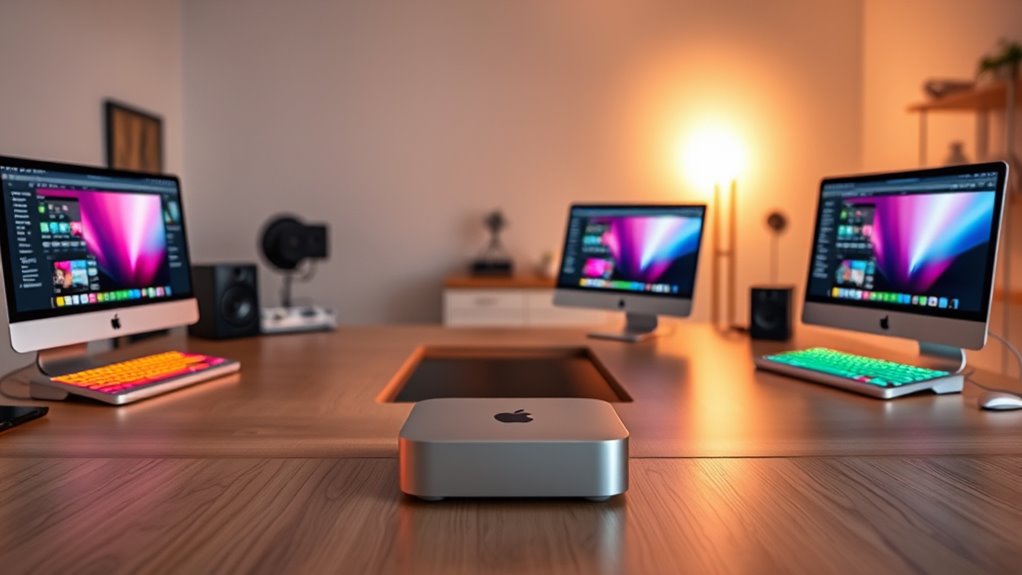

Choosing a Mac mini as a creator in 2026 comes down to one central question: is the base M4 chip enough for your workload, or do you need the extra GPU cores and memory bandwidth of the M4 Pro? After comparing Apple’s current lineup through a creative-workflow lens — video editing in Final Cut and DaVinci Resolve, photo work in Lightroom, music production, and motion graphics — two configurations stand out. The Mac mini M4 with 16GB of RAM and AppleCare+ is the smarter buy for most photographers, writers, and hobbyist editors, while the Mac mini M4 Pro with 24GB of memory and a 512GB SSD is the one I would point video professionals and 3D artists toward. The tradeoff is real: roughly the price difference between them buys you a faster GPU, more memory headroom, and double the baseline storage, but it does not buy you a better machine for lighter creative work — the base M4 already handles that beautifully. Neither configuration is upgradeable after purchase, so the decision you make at checkout is the decision you live with for the life of the machine. That single fact shapes everything below.

Get the little things that make your day delivered free — and shop member deals
- Fast, free delivery on millions of items
- Access to Prime Big Deal Days deals on October 6–7
- Prime Video, Amazon Music and more included
Key Takeaways
- The M4 Pro’s 16-core GPU renders video exports and handles timeline scrubbing in 4K multicam projects noticeably faster than the base M4’s 10-core GPU — that gap is the main reason to pay the premium.
- Both configurations share the same 5×5 inch chassis, port selection, and carbon-neutral build, so size and connectivity should not factor into your decision between them.
- The 256GB SSD on the base M4 is the weakest link for creators; budget for an external Thunderbolt NVMe drive from day one, because internal storage cannot be upgraded later.
- AppleCare+ bundled with the M4 configuration adds three years of coverage, which partially offsets its lower spec sheet and makes it the lower-risk purchase for a first Mac.
- Unified memory is not upgradeable: 16GB works for photo and audio work, but 24GB on the M4 Pro gives real headroom for 4K video, large RAW libraries, and heavy multitasking.
| Apple 2024 Mac mini Desktop Computer with M4 Chip, 16GB RAM, 256GB SSD, and AppleCare+ |  | Best Overall for Most Creators | Processor: M4 chip, 10-core CPU / 10-core GPU | Memory: 16GB unified memory | Storage: 256GB SSD (not upgradeable) | VIEW ON AMAZON | See Our Full Breakdown |
| Apple 2024 Mac mini Desktop Computer with M4 Pro Chip, 24GB Memory, 512GB SSD |  | Best Premium for Demanding Creative Work | Processor: M4 Pro chip, 12-core CPU / 16-core GPU | Memory: 24GB unified memory | Storage: 512GB SSD (not upgradeable) | VIEW ON AMAZON | See Our Full Breakdown |
| mac mini configurations for creator | Processor | Memory | Storage | Size |
|---|---|---|---|---|
| Apple 2024 Mac mini Desktop Co | M4 chip, 10-core CPU / 10-core GPU | 16GB unified memory | 256GB SSD (not upgradeable) | 5 x 5 inches |
| Apple 2024 Mac mini Desktop Co | M4 Pro chip, 12-core CPU / 16-core GPU | 24GB unified memory | 512GB SSD (not upgradeable) | 5 x 5 inches |
More Details on Our Top Picks
Apple 2024 Mac mini Desktop Computer with M4 Chip, 16GB RAM, 256GB SSD, and AppleCare+
This configuration makes the most sense for the largest group of creators: photographers, writers, musicians, and editors working in 1080p or light 4K. The M4 chip’s 10-core CPU is genuinely fast for single-threaded creative apps, which describes most of Lightroom, Photoshop, Logic Pro, and even Final Cut on modest timelines. Where it trails the M4 Pro is raw GPU throughput — the 10-core GPU will make itself felt during 4K exports, noise reduction on large RAW files, and any 3D rendering. Compared with the M4 Pro configuration below, this machine trades about half its graphics horsepower for a meaningfully lower price and three years of AppleCare+, which covers accidental damage and hardware faults on a machine you will likely keep for five or more years.
The 16GB of unified memory is the honest middle ground of this lineup. It handles a Lightroom catalog, a DAW with a hundred tracks, or a single-stream 4K edit without complaint. Where it gets tight is layering — 4K multicam timelines, After Effects compositions, or running a browser with forty tabs alongside an edit session. The 256GB SSD is the weakest part of this configuration for creative work: after macOS and applications, you will have room for maybe one active project. That is workable if you adopt an external Thunderbolt SSD workflow from day one, and honestly, that is how most working editors organize their media anyway. The port selection — three Thunderbolt ports, HDMI, Gigabit Ethernet, and a headphone jack — covers dual displays and fast external storage without hubs.
Who is this for? Anyone whose heaviest weekly task is photo editing, audio production, podcast editing, or 1080p video. If your exports run minutes rather than hours, paying for the M4 Pro buys speed you will not feel day to day. The bundled AppleCare+ also makes this the lower-risk entry point for anyone moving to their first Mac.
Pros:- M4 chip delivers fast, responsive performance across photo, audio, and light video workloads
- Bundled AppleCare+ covers three years of accidental damage and hardware issues
- Compact 5×5 inch chassis with three Thunderbolt ports supports dual displays and fast external storage
- Noticeably cheaper than the M4 Pro configuration, leaving budget for monitors and external drives
Cons:- 256GB internal storage fills quickly and cannot be upgraded later
- 10-core GPU slows 4K exports and heavy color grading compared with the M4 Pro
- 16GB of memory becomes a constraint with layered, multi-app creative workflows
Best for: Photographers, musicians, podcasters, and 1080p video editors who want strong everyday performance and long-term coverage at the lower price point
Not ideal for: 4K multicam editors, 3D artists, and motion graphics professionals who need the M4 Pro’s extra GPU cores and memory headroom
- Processor:M4 chip, 10-core CPU / 10-core GPU
- Memory:16GB unified memory
- Storage:256GB SSD (not upgradeable)
- AppleCare+:Included, 3 years
- Size:5 x 5 inches
- Ports:3x Thunderbolt, HDMI, Gigabit Ethernet, USB-C, headphone jack
- Displays:Supports up to two external displays
- Weight:Approximately 1.4 lbs
Our verdict“The configuration most creators should buy: fast enough for photo, audio, and light video work, with AppleCare+ softening the long-term risk.”
Apple 2024 Mac mini Desktop Computer with M4 Pro Chip, 24GB Memory, 512GB SSD
This is the configuration I would steer working video professionals toward, and the reason comes down to two numbers: 16 GPU cores and 24GB of unified memory. Compared with the base M4 above, the M4 Pro’s extra six GPU cores cut meaningful time off 4K exports and keep color-graded playback smooth where the base chip starts dropping frames. In Resolve, that GPU headroom is the difference between scrubbing a graded 4K timeline comfortably and toggling proxy playback on and off. The additional memory matters just as much for creative multitasking — an edit session, a browser full of research, and a music app running together will not push this machine into swap the way they can push the 16GB configuration.
The 512GB SSD doubles the base storage, which sounds modest but changes your day-to-day: you can hold your current project, your applications, and a working library internally before external drives enter the picture. The M4 Pro also brings a faster memory bandwidth than the base chip, which benefits exactly the workloads creators care about — video processing, large file handling, and GPU compute. Note that this configuration omits AppleCare+, so factor that into the total cost if you want matching coverage to the base model. Both machines share the identical 5×5 chassis and port layout, including Thunderbolt, HDMI, and Gigabit Ethernet, so nothing about desk setup or connectivity separates them.
This pick makes the most sense if your income depends on render times or if you work in 4K multicam, After Effects, Blender, or large RAW libraries with heavy noise reduction. It is also the more future-proof choice: the extra memory and GPU cores will still feel current in five years, while the base M4 will show its age sooner under growing workloads. The premium is real, but for a professional, it amortizes across every project you bill.
Pros:- M4 Pro with 16-core GPU handles 4K editing, color grading, and 3D rendering with headroom to spare
- 24GB of unified memory supports heavy multitasking and layered creative workflows without swapping
- 512GB SSD fits an active project, apps, and a working library before external storage is needed
- Higher memory bandwidth speeds up video processing and GPU compute tasks
Cons:- Premium price sits well above the base M4 configuration
- No AppleCare+ included, adding cost if you want multi-year coverage
- 512GB still fills up for video professionals archiving projects locally
Best for: Video editors, colorists, 3D artists, and photographers with large RAW libraries whose work demands GPU power and memory headroom
Not ideal for: Hobbyists, writers, and audio-focused creators whose workloads never stress the base M4 — the premium buys capability they will not use
- Processor:M4 Pro chip, 12-core CPU / 16-core GPU
- Memory:24GB unified memory
- Storage:512GB SSD (not upgradeable)
- Size:5 x 5 inches
- Weight:1.6 lbs
- Ports:Thunderbolt, HDMI, USB-C, Gigabit Ethernet, headphone jack
- Ecosystem:Seamless iPhone and iPad integration
- Sustainability:Carbon neutral
Our verdict“The configuration for creators who bill for their renders: the M4 Pro’s GPU and memory headroom pay for themselves in export time and longevity.”

How We Picked
Since neither of these machines can be upgraded after purchase, I approached this comparison the way a creator should: by matching fixed configurations to specific workflows rather than chasing benchmark scores. I evaluated each configuration on four criteria that matter most for creative work. First, sustained performance — how CPU and GPU core counts translate into real outcomes like export times, timeline responsiveness, and color grading playback in apps like Final Cut Pro, DaVinci Resolve, and Adobe Premiere Pro. Second, memory headroom — unified memory on Apple Silicon serves both system and GPU tasks, so 16GB versus 24GB affects everything from browser-tab-heavy multitasking to compositing, and I weighed that difference against typical project sizes. Third, storage strategy — both drives are small by creator standards, so I judged each config on how realistically it works with external Thunderbolt storage, which is how most working editors operate anyway. Fourth, total cost of ownership — the base M4 bundles AppleCare+ for three years, which changes the value math in ways the sticker price alone does not show. I favored configurations that make sense as a complete working setup, not just a spec sheet, and I penalized any configuration where a creator would likely hit a hard wall within two years. That lens is why only two configurations made the cut: they represent the two genuinely distinct value propositions in the current lineup.
| mac mini configurations for creator | Processor |
|---|---|
| Apple 2024 Mac mini Desktop Co | M4 chip, 10-core CPU / 10-core GPU |
| Apple 2024 Mac mini Desktop Co | M4 Pro chip, 12-core CPU / 16-core GPU |
Factors to Consider When Choosing Mac Mini Configurations For Creators
Because every component in a Mac mini is soldered at the factory, choosing a configuration is a one-time decision. These are the factors I weigh most heavily when matching a Mac mini to creative work.GPU Cores: The Creator’s Real Bottleneck
On Apple Silicon, the GPU handles far more than graphics — it accelerates video encoding, noise reduction, blur effects, and machine-learning features in creative apps. The jump from the M4’s 10 GPU cores to the M4 Pro’s 16 cores is the single biggest performance difference between these two configurations. If your work involves 4K timelines, color grading, or 3D rendering, that difference shows up in every export. For photo editing and audio production, the base GPU is rarely the limiting factor, and paying for cores you will not stress is wasted budget.
Unified Memory: Buy for Your Worst Week, Not Your Average Day
Memory on a Mac mini cannot be added later, and because it is shared between the CPU and GPU on Apple Silicon, creative apps consume it faster than you might expect. 16GB suits photo editing, music production, and single-stream video. 24GB gives you room for 4K multicam, compositing, and running multiple heavyweight apps at once. My rule of thumb: think about your busiest week of the year, not a typical Tuesday, because swap memory on a small internal SSD is where performance quietly dies.
Storage: Plan for External From Day One
Neither 256GB nor 512GB is generous by creator standards, and both are fixed at purchase. The workable strategy is treating internal storage as a boot and applications drive while keeping media on a Thunderbolt NVMe enclosure, which runs fast enough to edit 4K ProRes directly. This approach costs far less than Apple’s internal storage upgrades and keeps archives portable between machines. Budget for that external drive as part of the purchase, not as an afterthought.
Coverage and Total Cost
The base M4 configuration bundles three years of AppleCare+, while the M4 Pro does not — a difference that narrows the real gap between them if you would buy coverage anyway. When comparing prices, include the external drive you will need and any AppleCare+ you add, then judge each configuration as a complete creative workstation rather than a bare box.
Frequently Asked Questions
Is the base M4 Mac mini fast enough for video editing?
For most video work, yes. The M4’s 10-core CPU handles 1080p and single-stream 4K editing in Final Cut Pro or Premiere smoothly, and hardware-accelerated encoding keeps export times reasonable. The limitation appears with 4K multicam projects, heavy color grading in DaVinci Resolve, or stacked effects, where the 10-core GPU and 16GB of memory start to constrain playback. If video is your profession rather than a hobby, the M4 Pro configuration is the safer choice; if you edit occasionally or at 1080p, the base M4 will not hold you back.
Can I upgrade the RAM or storage on a Mac mini later?
No. Both the unified memory and the SSD are soldered to the logic board in Apple Silicon Mac minis, so the configuration you buy is permanent. This is why memory is the spec I tell creators to be most careful about — 16GB works today, but workloads grow over a five-year ownership period. Storage, by contrast, has a workaround: Thunderbolt external drives perform well enough for direct 4K editing, so a small internal drive is a manageable limitation in a way that insufficient memory is not.
How much of a real-world difference does the M4 Pro make?
The difference concentrates in GPU-bound tasks. Video exports, noise reduction on high-resolution RAW files, 3D rendering, and effects-heavy timelines all run noticeably faster thanks to the six additional GPU cores and higher memory bandwidth. For everyday creative work — photo culling, audio mixing, document work, browser-heavy multitasking at moderate scale — the two chips feel similar. A reasonable way to frame it: the M4 Pro saves minutes per export and keeps demanding playback smooth, while the base M4 finishes the same job slightly slower. Whether those minutes justify the premium depends on how often you render and whether your time is billed.
Is 256GB or 512GB of storage enough for creators?
On its own, neither drive suits a serious media library — macOS and creative applications alone consume a meaningful chunk. The practical approach is to treat internal storage as space for the system, apps, and your active project, then keep media and archives on a Thunderbolt external SSD. With that setup, 256GB is workable and 512GB is comfortable. Creators who try to keep everything internal will hit the wall quickly, so plan the external drive into your budget from the start rather than discovering the limitation two months in.
Does the Mac mini work well with a creator’s existing monitor and peripherals?
Yes, and this is one of its strengths for creators who already own hardware. Both configurations drive up to two external displays over Thunderbolt and HDMI, and the three Thunderbolt ports handle fast storage, a docking station, or an audio interface without hubs. Gigabit Ethernet comes standard, which matters for transferring large media files to a NAS or shared storage. There is no keyboard, mouse, or monitor in the box, so factor those in if you are coming from an all-in-one machine — but if you have a display you like, the mini slots into your existing setup without friction.
Conclusion
If you are still weighing the two, I would frame the decision around your heaviest regular task. Photographers, musicians, podcasters, and writers should buy the M4 with 16GB and AppleCare+ — the base chip handles those workloads effortlessly, the bundled three-year coverage reduces long-term risk, and the money saved funds a good monitor or a fast external drive. Working video editors, colorists, 3D artists, and anyone rendering for a living should step up to the M4 Pro with 24GB and 512GB, because its 16-core GPU and extra memory are the difference between smooth 4K playback and constant compromises, and those gains compound over years of projects. Creators in between — say, hobbyist 4K editors or photographers with very large libraries — should lean M4 Pro if the budget stretches, since memory and GPU cores are the two things you can never add later. Whichever you pick, pair it with a Thunderbolt external SSD from day one, because on a Mac mini, your storage strategy matters almost as much as your chip.
NFL season / tailgating Picks
team gear
As an affiliate, we earn on qualifying purchases.